
Many tools are used to detect the theme of a Blogger website, but here I will tell you a method to detect the Blogger theme, with which you can detect the Blogger theme of any website. If you also apply that method, you can easily find out the Blogger website theme name, theme version, and the names of all these.
Blogger Theme Detector Tool
How to Detect Blogger Theme Name
- To detect the theme of any Blogger website, first visit its homepage.
- After that, you have to right-click with the mouse and click on View Page Source.
- In the new tab, some coding will start showing in front of you, you have to type CTRL + F and search for the ” template style.”
- You will find the Blogger theme name, license version, and name Author’s name.
Step-by-Step Guide For Blogger Theme Detector
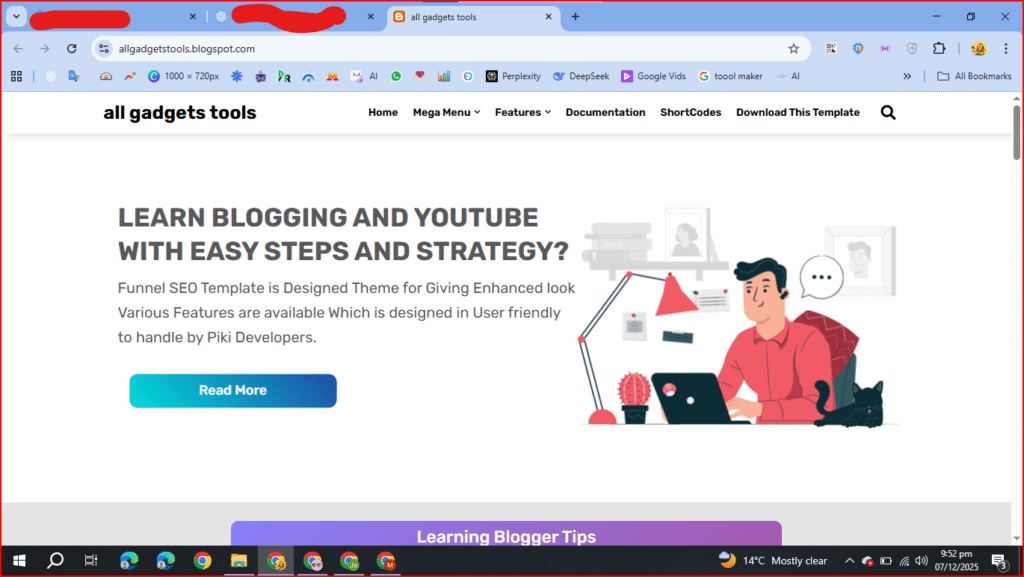
Visit the Blogger Website Homepage
If you want to detect the theme of any website, check the name of the theme, or check the name of the Blogger template, then you first have to visit the home page of that website.
View Page Source
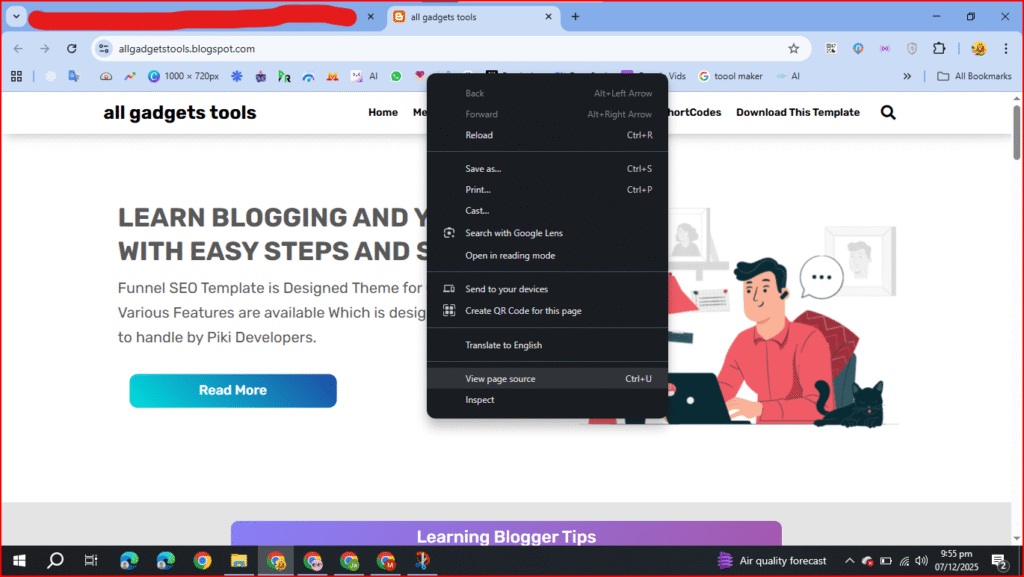
When you are on the home page of the Blogger website, you have to press the right click of your mouse, and then you will be shown an option called ” View Page Source.” You have to click on it.
Find Template Style
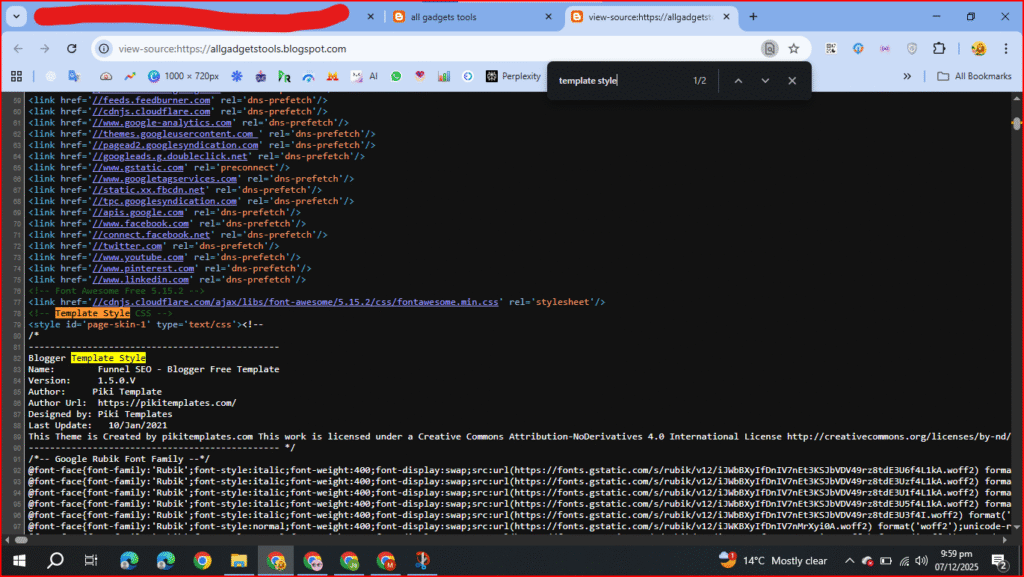
When you click on the View Page Source button, you will be taken to a new tab. You will see some coding in the new tab, but don’t worry. You only have to do a small step, which will give you a partial understanding of the theme. You have to type “CTRL + F“, which will open a search box in front of you. In this search box, you have to paste the word “template style“.
See The Name Of the Theme
When you press it, you will see the name of the theme in the Blogger template style, the template, the Blogger theme version, the date, and time of the last update. You will also know who designed the theme.
Now you don’t need to use any tool website, now you can check the Blogger theme name of any Blogger website yourself. With this process, you can detect the theme name of any website hosted on Blogger. And if you don’t see this method working, then you can now visit our Tool website, from where you can detect the Blogger theme for free.
Hey There. I found your blog the use of msn. That is a really smartly
written article. I will make sure to bookmark it and return to learn extra
of your helpful info. Thank you for the post.
I’ll definitely comeback.